






カシムラ My Tag Dualについて
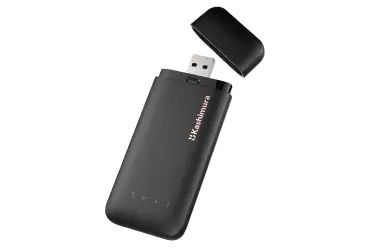
Kashimura My Tag Dual
Disabling the device:
The Kashimura My Tag Dual can be disabled to stop it from sharing its location. Once disabled, it will no longer report to Google’s Find Hub network or Apple’s Find My network, and the owner will no longer receive updates on its current location. It will also stop triggering unknown tracker alerts. If you receive a notification on your Android or iOS device indicating that a Kashimura My Tag Dual has been detected nearby and you are unfamiliar with this device, you can make it ring through the system notification. After locating the device, follow the steps below to disable it.
Disable via Button Press:
•Locate the button on your Kashimura My Tag Dual
•Press and hold the button for about 5 seconds.
•You will hear a long confirmation beep.
Re - enable the device:
•Locate the button on your Kashimura My Tag Dual.
•Press the button once.
•You will hear a confirmation melody.
Stop the device from ringing:
If you receive a notification that a device has been detected nearby, you can make it ring through the system notification to locate it. To stop the ringing:
•Locate the button on the Kashimura My Tag Dual and press it once.
•The accessory will emit one beep as a confirmation and then stop ringing.
Factory Reset and Pairing:
•Locate the button on the Kashimura My Tag Dual.
•Quickly press the button four times, then long press the button for the fifth time.
•You will hear a confirmation melody.
•After resetting, you can pair the device with a new Google or Apple account.
Identify mode/Learn more:
•Locate the button on your Kashimura My Tag Dual
•Quickly press the button twice.
•You will hear two confirmation beeps.
Important Notes:
•When the Kashimura My Tag Dual is paired with an Android device, it operates as a Google Find Hub locator tag. If paired with an iOS device, it functions as an Apple Find My locator tag.
•For pairing, ensure Bluetooth is enabled on your device and that it has internet access. To activate the Kashimura My Tag Dual, press the button once, and you will hear a melody confirming activation.
•You can remove the Kashimura My Tag Dualfrom either the Google Find Hub app on Android or the Find My app on iOS. If it’s within Bluetooth range, a factory reset will automatically occur upon removal from the app. If out of range, perform a manual factory reset.
カシムラ My Tag Dual
デバイスの無効化: カシムラ My Tag Dualは、位置情報の共有を停止するために無効化することができます。無効化すると、GoogleのFind HubネットワークやAppleの「探す(Find My)」ネットワークへの報告が停止し、所有者は現在の位置情報の更新を受け取れなくなります。また、不明なトラッカーの警告も発動しなくなります。AndroidまたはiOSデバイスで近くにカシムラ My Tag Dualが検出されたという通知を受け取り、そのデバイスに心当たりがない場合は、システム通知から音を鳴らすことができます。デバイスを見つけた後、以下の手順に従って無効化してください。
ボタン操作による無効化:
• カシムラ My Tag Dualのボタンを見つけます。
•ボタンを約5秒間長押しします。
•確認の長いビープ音が鳴ります。
デバイスの再有効化:
•カシムラ My Tag Dualのボタンを見つけます。
•ボタンを1回押します。
•確認のメロディが鳴ります。
デバイスの鳴動を停止する: 近くでデバイスが検出されたという通知を受け取った場合、システム通知から音を鳴らしてデバイスを見つけることができます。鳴動を停止するには:
•カシムラ My Tag Dualのボタンを見つけ、1回押します。
•アクセサリから確認のビープ音が1回鳴り、鳴動が停止します。
工場出荷時設定へのリセットとペアリング:
•カシムラ My Tag Dualのボタンを見つけます。
•ボタンを素早く4回押し、5回目で長押しします。
•確認のメロディが鳴ります。
•リセット後、デバイスを新しいGoogleまたはAppleアカウントとペアリングできます。
識別モード/詳細情報:
•カシムラ My Tag Dualのボタンを見つけます。
•ボタンを素早く2回押します。
•確認のビープ音が2回鳴ります。
重要な注意事項:
•カシムラ My Tag DualをAndroidデバイスとペアリングした場合、Google Find Hubのロケータータグとして動作します。iOSデバイスとペアリングした場合は、Appleの「探す(Find My)」ロケータータグとして機能します。
•ペアリングを行う際は、デバイスのBluetoothがオンになっており、インターネット接続があることを確認してください。カシムラ My Tag Dualを起動するには、ボタンを1回押します。起動を確認するメロディが鳴ります。
•カシムラ My Tag Dualは、AndroidのGoogle Find HubアプリまたはiOSの「探す」アプリから削除できます。Bluetoothの通信範囲内にある場合、アプリから削除すると自動的に工場出荷時設定へのリセットが行われます。通信範囲外にある場合は、手動で工場出荷時設定へのリセットを行ってください。